
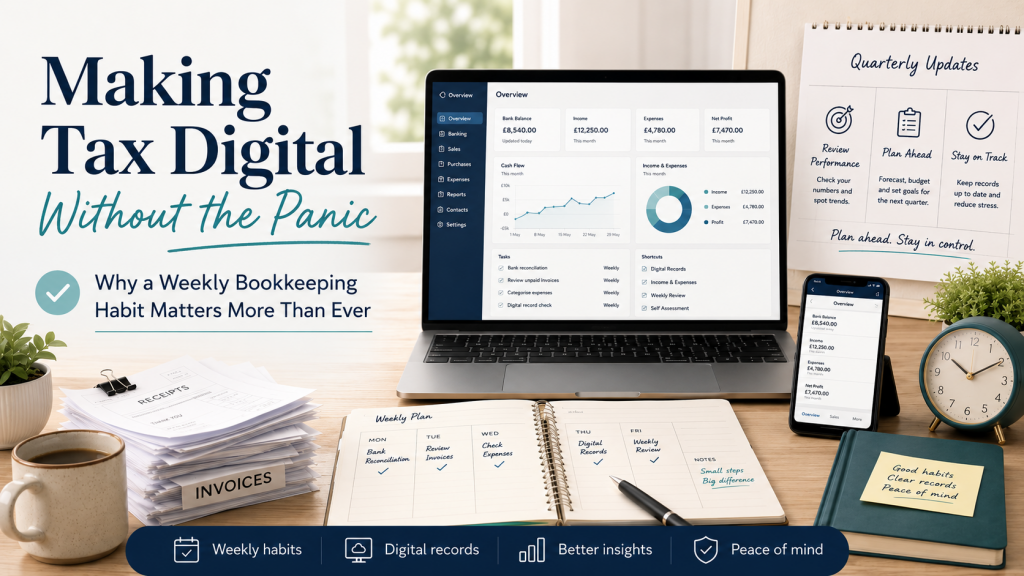
Why a Weekly Bookkeeping Habit Matters More Than Ever.
In our previous article, “Keep Bookkeeping Out of Your Evenings (and Reduce the Sunday Night Feeling)”, we looked at how financial admin can quietly take over the time you should be using to rest and recover.
Because when receipts, invoices and bookkeeping are allowed to follow you home, they do more than take up time. They occupy headspace, interrupt your recovery and contribute to that familiar Sunday-night feeling.
Making Tax Digital for Income Tax gives sole traders another reason to bring their financial records under control.
But it does not have to mean spending more time on bookkeeping. Because when receipts, invoices and financial admin are allowed to follow you home, they do more than take up time. They occupy headspace, interrupt your recovery and contribute to that familiar Sunday-night feeling.
Making Tax Digital for Income Tax gives sole traders another reason to bring their financial records under control.
But it does not have to mean spending more time on bookkeeping.
Handled well, Making Tax Digital can encourage a healthier way of working: keeping records up to date in small, manageable steps instead of facing a stressful pile of paperwork at the end of the year.
The important words there are handled well.
Because without a simple routine, four quarterly updates could easily become four new deadline panics.
The answer is not to work longer or become an expert in tax software.
It is to create a straightforward bookkeeping habit that fits into your working week.
What changed on 6 April 2026?
Making Tax Digital for Income Tax became compulsory for the first group of sole traders and landlords on 6 April 2026.
It currently applies to people whose combined qualifying income from self-employment and property was more than £50,000 in the 2024 to 2025 tax year.
The threshold will reduce in stages:
- Those with qualifying income over £30,000 in the 2025 to 2026 tax year will need to join from 6 April 2027.
- Those with qualifying income over £20,000 in the 2026 to 2027 tax year will need to join from 6 April 2028.
Qualifying income generally means your gross income or turnover from self-employment and property before expenses are deducted. It is not the same as your profit. This distinction matters.
A sole trader could have a turnover above the relevant threshold while taking home considerably less after business expenses. It is therefore important not to assume that Making Tax Digital does not apply simply because your profit is below £50,000.
HMRC may write to people it believes are required to join, but it remains the taxpayer’s responsibility to check whether and when the rules apply to them. What does Making Tax Digital actually require?
The name can make the change sound more complicated than it needs to be.
In practical terms, those who are required to use Making Tax Digital for Income Tax must use compatible software to:
- Create and maintain digital records of business income and expenses.
- Send quarterly summaries of income and expenses to HMRC.
- Submit their tax return through compatible software.
- Continue paying any tax due by the usual deadline.
The quarterly updates are summaries based on the information recorded in your software. They are not for complete tax returns, and you do not have to make every final accounting or tax adjustment before sending each update. Still complete the necessary end-of-year process and pay the tax you owe.
Making Tax Digital is therefore not about calculating and paying your final tax bill four times a year.
It is about keeping digital records and providing HMRC with more regular information about your income and expenses.
The first important deadline
For sole traders and landlords who entered Making Tax Digital on 6 April 2026 and use the standard calendar update periods, the deadline for the first quarterly update is 7 August 2026.
The following quarterly deadlines are expected to be:
- 7 November 2026.
- 7 February 2027.
- 7 May 2027.
The annual Self Assessment process also continues, including the usual 31 January deadline for the previous tax year.
For many people, the 7 August deadline may feel as though it has arrived very quickly.
That is especially true if the first few months of the tax year have already passed without records being brought fully up to date.
But this is exactly why the right routine matters.
The real risk is not the software
It is easy to assume that Making Tax Digital is mainly a technology challenge.
Which software should you buy?
Will it connect to your bank?
How do you send an update?
What happens if you press the wrong button?
Those are reasonable questions, and choosing appropriate software is important. HMRC maintains a list of software products that can create digital records, send quarterly updates and support the required tax-return process. Software is only one part of the answer.
The bigger challenge is the habit behind it.
Even the best software cannot completely solve the problem if:
- Receipts are still scattered across your van, wallet and kitchen table.
- Invoices are raised only when you remember.
- Personal and business spending are mixed together.
- Transactions are left unexplained for months.
- Bookkeeping is continually postponed until an evening or weekend.
- Nobody checks whether the records are complete.
Software can organise the information you give it.
It cannot always find the receipt in your coat pocket or remember why you spent £47.50 three months ago.
A simple, regular system is what makes the technology useful.
Four quarterly updates should not mean four new crises
Before Making Tax Digital, many sole traders treated bookkeeping as an annual event.
Records accumulated throughout the year, followed by a large sorting exercise when the tax-return deadline approached.
That approach was never particularly comfortable, but it was possible to get away with it.
Quarterly reporting makes it much harder to leave everything until the end of the year.
That may sound like additional pressure, but it can also be an opportunity.
Instead of one large annual scramble, you can keep the work small.
Instead of trying to reconstruct several months of activity, you can deal with transactions while they are still familiar.
Instead of wondering whether your records are complete, you can know where you stand throughout the year.
The goal is not to spend more time bookkeeping.
The goal is to stop bookkeeping from becoming a large and stressful job.
The weekly habit that makes quarterly reporting easier
A weekly bookkeeping routine does not need to occupy half a day.
For many sole traders, a focused 30 to 60-minute session during business hours can prevent a much larger problem later.
Choose a regular time that suits the way you work.
It could be:
- Friday morning before the final jobs of the week.
- Monday afternoon when the week has settled.
- The same quiet hour between appointments each Wednesday.
- Immediately after completing your weekly invoicing.
The exact time matters less than consistency.
During that weekly session, concentrate on five things.
1. Capture your receipts
Make sure paper and digital receipts have reached the place where you keep your records.
That might involve:
- Photographing paper receipts through an app.
- Forwarding emailed receipts to a dedicated address.
- Uploading supplier invoices.
- Emptying the receipt folder kept in your vehicle or work bag.
The aim is to deal with receipts while you still remember what they were for.
2. Review your bank transactions
Check that money coming into and leaving the business has been recorded correctly.
Look for:
- Transactions that have not been matched.
- Personal spending accidentally paid from the business account.
- Business purchases made personally.
- Duplicate entries.
- Payments you do not immediately recognise.
An unexplained transaction is much easier to resolve after seven days than after seven months.
3. Raise outstanding invoices
Work completed but not invoiced is money your business has earned but cannot yet collect.
Use the weekly session to check whether every completed job has been billed.
This also prevents invoicing from becoming another task that follows you into the evening.
4. Check what has and has not been paid
Review outstanding customer invoices and identify anything that needs chasing.
A polite, consistent reminder process is far less stressful than discovering several months later that a customer has still not paid.
Regular checking also gives you a more realistic picture of the money genuinely available to the business.
5. Record questions while they are fresh
You do not have to solve every bookkeeping question yourself.
Make a note of anything you are unsure about and send it to your bookkeeper.
That could include:
- Whether an expense is allowable.
- How to record a particular payment.
- Why your software is showing a difference.
- What evidence should be kept.
- Whether a transaction belongs to the business.
A short question asked promptly can prevent a much larger correction later.
Do not confuse “digital” with “automatic”
Connecting your bank account to bookkeeping software can save time.
Invoices may also be created, sent and tracked digitally. Receipts can be photographed, and some information can be extracted automatically.
These tools are useful.
But automation still needs oversight.
Bank feeds may bring transactions into the software, but those transactions may still need to be categorised, checked or explained.
A digital receipt may still need to be matched with the correct purchase.
An automatically generated invoice may still need to be checked and chased.
Making Tax Digital does not remove the need for good bookkeeping.
It increases the value of getting that bookkeeping right.
What if you are below the current threshold?
You may not be required to use Making Tax Digital yet.
However, the thresholds are reducing.
Someone with qualifying income over £30,000 in the 2025 to 2026 tax year is expected to join from April 2027, followed by those over £20,000 from April 2028. Until the final few weeks before your start date could create unnecessary pressure.
Preparing early gives you time to:
- Confirm whether and when the rules apply to you.
- Choose software that suits your business.
- Separate business and personal transactions.
- Establish a reliable receipt system.
- Learn the process without an immediate deadline.
- Correct any problems in your existing records.
- Decide what you want to manage and what you would prefer a bookkeeper to handle.
Even if you remain below the threshold, keeping accurate digital records can still give you a clearer view of your business.
The point is not simply to satisfy HMRC.
It is to make the finances easier to manage.
Where a good bookkeeper fits in
Making Tax Digital may create the impression that every sole trader is expected to become their own software specialist.
That is not the case.
HMRC confirms that an agent can support clients with signing up, and using the services of a Bookkeeper can help you:
- Check whether the rules apply to your circumstances.
- Choose and set up suitable bookkeeping software.
- Create a practical process for receipts and records.
- Keep transactions correctly organised.
- Identify missing or unusual information.
- Prepare and send quarterly updates where agreed.
- Keep you aware of approaching deadlines.
- Provide reliable information for your accountant or tax adviser.
- Understand what the figures are telling you.
The greatest benefit may not be the submission itself.
It may be the reassurance of knowing that someone is keeping an eye on the records and helping you remain organised.
That reduces the unfinished financial loops running through your head.
It also makes it less likely that bookkeeping will return to your evenings.
A simple action plan for this week
Making Tax Digital can feel large when it is considered as one complete project.
Break it into smaller decisions.
This week, take the following steps:
Check your qualifying income
Look at the self-employment and property income reported on the relevant tax return.
Remember that this is based on gross qualifying income before expenses, not simply the profit you retained.
Confirm your start date
Establish whether you should already be using Making Tax Digital or whether you are likely to enter in April 2027 or April 2028.
Review your current software
Check whether your existing bookkeeping system is compatible with Making Tax Digital for Income Tax and whether it supports the functions you need.
Choose your weekly money slot
Block 30 to 60 minutes on your work calendar.
Treat it as part of running the business, not something to be completed after the working day has finished.
Ask for help before you are under pressure
Do not wait until a quarterly deadline is approaching before raising questions.
The earlier the records are reviewed, the easier problems usually are to resolve.
A final thought: Making Tax Digital should not take over your life
A change in tax reporting can naturally cause concern.
There are new rules to understand, software to consider and more frequent updates to manage.
But Making Tax Digital does not have to become another burden that follows you home.
With a straightforward system, a protected weekly routine and the right support, quarterly updates can become a manageable part of ordinary business administration.
The purpose of better bookkeeping is not simply to keep HMRC satisfied.
It is to give you clarity.
It is to help you understand what is coming in, what is going out and what needs your attention.
It is to prevent small problems becoming deadline emergencies.
And it is to let evenings feel like evenings again.
Need help preparing for Making Tax Digital?
If you are a sole trader in Norfolk and are unsure whether Making Tax Digital applies to you, or you would like help getting your records and software organised, Zenith Bookkeeping is here to help.
We provide straightforward bookkeeping support, practical systems and plain-English guidance without unnecessary jargon.
Whether you have already entered Making Tax Digital or want to prepare for a future start date, we can help you build a routine that keeps your records up to date and your financial admin under control.
Start a conversation with Zenith Bookkeeping today and make Making Tax Digital part of a calmer business — not another reason to lose your evenings.
This article provides general information and should not be treated as individual tax advice. Requirements can depend on personal circumstances, so check the latest HMRC guidance or speak to an appropriately qualified adviser.